

Smarter Towing and Parking With Tundra Tech for Birmingham, AL Drivers
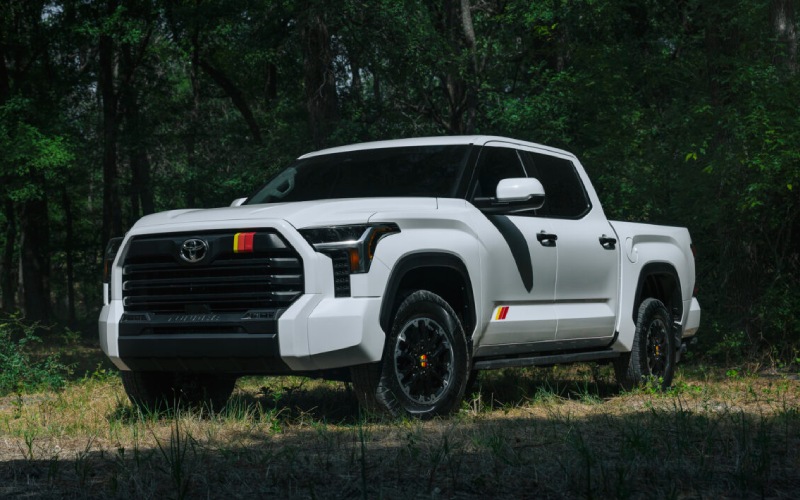
Hoover Toyota – Smarter Towing and Parking With Tundra Tech for Birmingham, AL Drivers
Ask anyone who tows around the Birmingham metro and you’ll hear the same wish: make backing up easier and stress smaller. That’s where the latest Tundra’s smart systems shine. Trailer Backup Guide With Straight Path Assist and the available Panoramic View Monitor (PVM) were engineered to remove the guesswork from those moments when your visibility is limited, your trailer wants to wander, and there’s a bit of pressure from traffic behind you. Whether you’re lining up to a boat ramp on a busy Saturday or easing a utility trailer into a narrow driveway near downtown, these tools are the extra set of eyes and steady hands you’ve been wanting.
Let’s break down how this technology helps in everyday life across our hills, tight alleys, and busy shopping centers. When you shift into reverse with a trailer connected, Trailer Backup Guide With Straight Path Assist uses sensors and cameras to help keep your trailer tracking straight as you steer. On-screen visuals on the available 14-In. Multimedia Touchscreen show you what the trailer’s doing and where it’s going. Pair that with PVM, and you can toggle a 360-degree top-down view to check surroundings you wouldn’t otherwise see—curbs, posts, or that stray cooler you forgot near the trailer jack. It’s an incredibly reassuring combo when backing into angled spaces at home or fitting a cargo trailer into a crowded event lot near Regions Field.
The hardware and software are only half the story—what matters is how quickly they become part of your muscle memory. The learning curve is short because the interface is clear and the guidance is steady, so you spend less time second-guessing and more time getting the job done. The available 12.3-In. Digital Gauge Cluster complements the center screen with critical cues in your forward line of sight, while the truck’s Multi-Link Rear Suspension helps keep things composed as you make small corrections. You end up feeling calm and precise, even when space is at a premium.
For many drivers around the Cahaba River or Lake Purdy, that confidence pays off in scenarios that used to require a spotter. Hook up a small camper or fishing boat, head out across I?459, and those last few minutes—tight turn, slight slope, reverse in—suddenly feel manageable. And because the system’s assistance is transparent, you’re in control the entire time. It simply helps your good decisions happen more consistently, reducing the chance of jackknifing or overcorrection.
Beyond trailering, the available Panoramic View Monitor is a daily parking hero. If you frequent tight decks near UAB or navigate compact street parking by Pepper Place, PVM’s stitched camera views help you place the truck exactly where you want it. It’s equally helpful off pavement—positioning near a trailhead without nudging rocks or low branches. The point is simple: big-truck capability shouldn’t mean big compromises in visibility.
Here’s a quick look at the standout tools many local drivers ask about:
- Trailer Backup Guide With Straight Path Assist: Uses sensors and cameras to help your trailer hold a straight line in reverse, shown clearly on the center display.
- Panoramic View Monitor (PVM): Provides a 360?degree exterior view to help you spot obstacles, curbs, and tight clearances when maneuvering.
- 12.3-In. Digital Gauge Cluster: Shows key towing and safety info in your field of view to keep your focus forward.
- 14-In. Multimedia Touchscreen: Offers large, crisp visuals for camera feeds, trailering functions, navigation, and audio.
- Multi-Link Rear Suspension: Enhances stability and ride comfort, which you’ll feel when backing with a load.
If you’re new to towing, these systems can transform the experience. Even if you’re a veteran, you’ll appreciate how they reduce fatigue, especially after a long day on job sites or a late-night return from a weekend away. When you combine this tech with the available i?FORCE MAX hybrid’s robust torque, moving off from a stop or making small throttle changes in reverse feels smoother and more predictable. That’s a huge help during precise trailer placement or when ramp traction isn’t ideal.
Want a simple sequence to master easy hookups and confident reversing? Keep this quick order in mind:
- Position the truck: Align your hitch ball with the coupler using PVM and on-screen guidelines.
- Secure the connection: Lock the coupler, attach safety chains, and connect your trailer wiring.
- Confirm lights and brakes: Test signals and, when equipped, verify trailer brake function.
- Set up on-screen aids: Enable Trailer Backup Guide With Straight Path Assist and confirm PVM view options.
- Reverse with small inputs: Let the guidance help you hold a line, adjusting gently to keep the trailer tracking true.
Because your questions don’t stop at “how,” we’ve gathered helpful answers that come up often in our conversations with local owners.
Frequently Asked Questions:
Does the guidance work with different trailer sizes?
Yes. The system is designed to assist with a range of trailer types and sizes. You’ll still want to set up safely, verify brake settings when equipped, and make small steering inputs, but the cameras and guidance adapt to real-world towing.
Can I still see behind the trailer clearly?
The available Panoramic View Monitor (PVM) and camera views on the 14-In. Multimedia Touchscreen help you keep tabs on what’s happening around the truck. You can switch perspectives to monitor the trailer and immediate surroundings as you maneuver.
How does the truck feel when reversing on a slope?
The Multi-Link Rear Suspension helps keep the truck and trailer settled, and the powertrains’ smooth low?rpm response makes gentle throttle modulation easy. As always, take your time and use the guidance to make precise adjustments.
Is the tech distracting?
It’s designed to be the opposite. Clear visuals and straightforward prompts cut down on guesswork, so you’re calmer and more focused. The available 12.3-In. Digital Gauge Cluster places key data ahead of you, reducing the need to glance away.
What about everyday parking without a trailer?
That’s where the available PVM shines. Tight spaces near shops or venues are simpler thanks to the 360?degree perspective, and the system helps you avoid scrapes and curbs that are easy to miss in larger trucks.
If you’re comparing trucks for life across our region—hauling equipment to a project off U.S. 280, trailering a side?by?side toward Oak Mountain, or just parking neatly in a crowded deck—this tech suite can be the deciding factor. It turns stressful moments into routine ones. And when your daily schedule is stacked, anything that reduces hassle is worth its weight in gold.
Ready to see how it works in person? Our team is serving Birmingham, Trussville, and Alabaster with transparent guidance and a hands-on walk-through so you can try these features in realistic scenarios. At Hoover Toyota, we make it simple to match the right configuration to your needs—then show you how the systems earn their keep on day one.

0 comment(s) so far on Smarter Towing and Parking With Tundra Tech for Birmingham, AL Drivers